
Download KRIKYA App - Android APK, iOS Install and Latest Version Guide
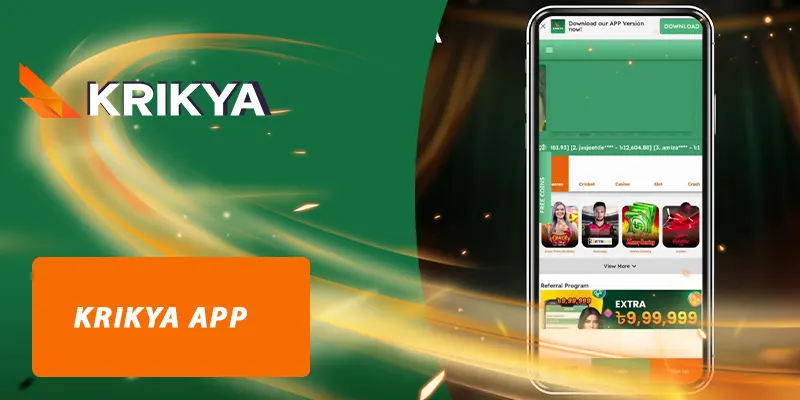
KRIKYA app gives Bangladesh users a faster and more convenient way to access casino games, sports betting, slot games, lottery, fish shooting, and account features directly from mobile devices. Instead of searching the website every time, members can open the app, log in securely, check promotions, and enter their favorite games with fewer steps.
This guide explains how to download KRIKYA app for Android and iOS, how to install the APK safely, how to update to the latest version, how to fix common installation problems, and how to protect your account while using the mobile application.
Should members download the KRIKYA app?
For players who regularly use KRIKYA on mobile, downloading the app can make the experience smoother than opening the platform through a browser. The mobile app is designed for quick access, easier navigation, faster game loading, and better account management from one place.
The KRIKYA Casino app APK is especially useful for Android users who want direct installation, while iOS users can follow the installation guide through Safari and device settings. Before installing, users should always make sure they are downloading from the official KRIKYA website to avoid fake APK files or unsafe third-party links.
Mobile-first design for easier betting
The KRIKYA app interface is arranged for mobile screens, so users can quickly find login, registration, casino, sports betting, slot, promotion, and support sections. Compared with browsing through multiple pages, the app helps reduce repeated searching and makes daily access more convenient.
Fast access to games and account features
After installation, members can open the app and access popular categories such as casino games, sports betting, slot games, lottery, card games, and fish shooting. Account login, wallet information, promotion updates, and game navigation are also easier to manage from the mobile interface.
Safer than unknown APK sources
One of the biggest reasons to use the official KRIKYA app download page is safety. Many fake APK files can copy brand names or use similar icons to trick users. Downloading only from the official website reduces the risk of malware, phishing pages, password theft, and fake login screens.
Better experience for Bangladesh mobile users
Many Bangladesh users access online entertainment mainly through mobile devices. The KRIKYA app is suitable for users who prefer quick login, easy navigation, promotion checking, and mobile betting during cricket matches, live sports events, or casino sessions.
KRIKYA app download for Android and iOS
The KRIKYA app download process depends on your device type. Android users usually install the APK file, while iPhone and iPad users need to follow the iOS installation steps. Always choose the correct version for your operating system before downloading.
KRIKYA app for iOS
To download KRIKYA app for iOS, use Safari and follow the official installation process. Do not install unknown configuration files from random Telegram groups, social posts, or third-party websites.
- Open Safari on your iPhone or iPad and visit the official KRIKYA casino website.
- Find the KRIKYA app download button and select the iOS version.
- Allow the download or installation profile when your device asks for confirmation.
- Go to Settings → General → VPN & Device Management or Profile Downloaded.
- Choose the KRIKYA profile and tap Trust if required.
- Return to your home screen, open the app, then log in to KRIKYA or create a new account.
iOS installation notes
- Use Safari instead of unknown in-app browsers for better compatibility.
- Make sure your device has enough storage before installation.
- Restart your device if the app icon does not appear after installation.
- If iOS blocks the profile, delete the old file and download again from the official page.
KRIKYA app for Android APK
Android users can install the KRIKYA APK file directly. This method is common for casino and betting apps because some applications may not be available through standard app stores in every region.
- Open Chrome or another trusted browser on your Android phone.
- Visit the official KRIKYA website and open the app section.
- Tap the Android APK download button.
- Wait until the APK file is completely downloaded.
- Open Settings → Security → Install unknown apps.
- Allow installation from your browser only for this installation.
- Open the downloaded APK file and tap Install.
- After installation, open the app and log in or register.
Android installation notes
- Download the APK only from the official KRIKYA page.
- Do not keep “Install unknown apps” enabled for all apps after installation.
- Delete old APK files if you are installing a newer version.
- Scan the file with your device security tool if available.
Device requirements for KRIKYA app latest version
Before downloading the KRIKYA app latest version, check whether your device meets the basic requirements. This helps prevent installation errors, app crashes, slow loading, or login problems.
| Requirement | Android | iOS |
|---|---|---|
| Operating system | Android 8.0 or newer recommended | iOS 12 or newer recommended |
| Storage | At least 150MB free space | At least 150MB free space |
| RAM | 2GB or higher recommended | 2GB or higher recommended |
| Internet | Stable 4G, 5G, or WiFi | Stable 4G, 5G, or WiFi |
| Browser for download | Chrome or trusted Android browser | Safari recommended |
Important conditions to download KRIKYA casino app APK successfully
To complete the KRIKYA app download and installation process without errors, users should prepare the device properly. Most failed installations happen because of insufficient storage, weak internet, wrong app version, or unsafe download sources.
Enough storage space
Your phone should have enough free space for the installation file, temporary data, and future updates. If the device storage is almost full, the APK file may fail to install or the app may crash after opening.
To fix this, delete unused apps, old videos, duplicate images, and previous APK files. After cleaning storage, download the KRIKYA app again from the official website.
Official and safe download source
Only use the official KRIKYA app download link. Avoid APK files shared through unknown websites, unofficial social media posts, or random messaging groups. Fake APK files may contain harmful code or redirect users to fake login pages.
Stable network connection
A stable 4G, 5G, or WiFi connection helps the download finish correctly. If the network drops during download, the APK file may become incomplete or corrupted. When this happens, delete the broken file and download again.
Select the correct app version for your device
Android and iOS use different installation methods. Android users should select the APK file, while iOS users should follow the iPhone or iPad installation process. Choosing the wrong version may cause download failure or installation errors.
App permissions
The app may request basic permissions such as storage, notifications, or network access. Only allow permissions that are necessary for app operation. Be careful if any app asks for unrelated access such as contacts, SMS, or unknown device control permissions.
KRIKYA app login and account access
After installation, users can open the app and access their account through the login section. The KRIKYA app login process usually requires your registered phone number, username, email, or password depending on your account setup.
If you are a new user, create an account through the official KRIKYA register page before logging in. Existing members can use the same account details used on the website. If login fails, check your password, internet connection, app version, and whether the account has been restricted for security reasons.
Safe login tips
- Do not save your password on shared devices.
- Avoid logging in through fake APK files or copied websites.
- Use a strong password that is not used on other platforms.
- Log out if you use another person’s phone.
- Contact KRIKYA support if you notice unusual account activity.
How to update KRIKYA app latest version
Keeping the KRIKYA app updated helps improve stability, security, loading speed, and compatibility with new device systems. Old versions may still open, but they can show login errors, game loading issues, or missing promotion updates.
- Open the official KRIKYA website from your mobile browser.
- Go to the app download section.
- Download the latest Android APK or iOS installation file.
- Install the new version over the old one if supported.
- If installation fails, remove the old version and install again.
- Log in and check whether your account data appears correctly.
Before updating, make sure you remember your login details. Do not delete account information or clear data unless you are sure your account is already registered and recoverable.
Common KRIKYA app download and installation problems
Although the KRIKYA app download process is simple, some users may face errors depending on device settings, network quality, storage space, or operating system version. Below are common problems and practical fixes.
Why can’t I download the app?
Download failure usually happens because of unstable internet, blocked browser permissions, full storage, or an incorrect download link. Switch to a stronger network, clear browser cache, check storage, and download again from the official KRIKYA app page.
Why does the APK fail to install?
If the APK does not install, check whether “Install unknown apps” is enabled for your browser. Also make sure the file was fully downloaded. If the file size looks incomplete, delete it and download a fresh copy.
Why is the KRIKYA app not opening?
The app may not open if your device system is outdated, storage is too full, or the installed version is old. Restart your phone, update the app, clear cache, and check your internet connection.
Why does KRIKYA app login fail?
Login failure can happen because of incorrect password, weak network, outdated app version, or account verification issues. Visit the official login page or contact support if you cannot access your account after several attempts.
Frequently asked questions about KRIKYA app download
Is KRIKYA app free to download?
Yes, users can download the KRIKYA app from the official website without paying an installation fee. Be careful with third-party sites that ask for payment to download an APK file.
Can I download KRIKYA APK for Android?
Yes, Android users can download the KRIKYA APK from the official app page and install it manually after allowing installation from the browser.
Can I install KRIKYA app on iPhone?
Yes, iPhone users can follow the iOS installation method through Safari and device settings. Always use the official download source.
Is KRIKYA app safe?
The safest method is to download the app from the official website only. Avoid unknown APK sources, fake login pages, and copied app links.
How do I update KRIKYA app latest version?
Visit the official website, download the latest app version, and install it on your device. If the update fails, remove the old version and reinstall carefully.
Why is KRIKYA app not working?
The app may stop working because of an old version, weak internet, full storage, or device compatibility issues. Update the app, restart your device, and check your connection.
Do I need a KRIKYA account before using the app?
You need an account to access wallet features, betting sections, and personalized services. New users can register first, while existing users can log in with their current account details.
Conclusion
The KRIKYA app is a useful mobile option for Bangladesh users who want faster access to casino games, sports betting, promotions, login features, and account management. By downloading the app from the official website and following the correct Android or iOS installation steps, users can reduce installation errors and avoid unsafe APK sources.
For the best experience, keep the KRIKYA app latest version updated, use a stable network, protect your login details, and avoid unofficial download links. This helps you enjoy a smoother, safer, and more convenient mobile betting experience.